Back to blogging after a long pending vacation. :)
Back to a project where Sitecore 9.3 is used in an IaaS model. After using containers for local development in Sitecore 10+, setting up the Sitecore 9 in a VM is a misery.
While setting up Sitecore 9.3 using SIF, I was facing an issue while setting up the login for Shard DBs and installation abruptly stopped.
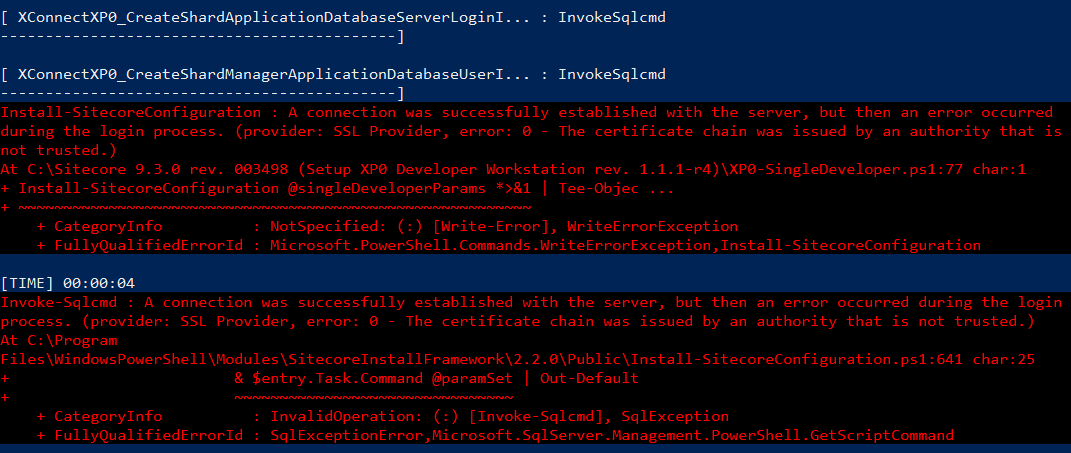
A connection was successfully established with the server, but then an error occurred during the login process.
(provider: SSL Provider, error: 0 - An existing connection was forcibly closed by the remote host.)
Microsoft has clear documentation on what to do when this error occurs.
- Applications experience forcibly closed TLS connection errors when connecting SQL Servers in Windows
- Stackoverflow has numerous list of solutions
One of the solution for the local development machine is to enable Trust Server Certificate while connecting to SQL using Management Studio. That worked for Management Studio.

In my case, none of this solution worked. Uninstalled the SQL Server completely and installed again but the issue was still there. Looking into the SIF json files, I understood that it is using Invoke-Sqlcmd PowerShell command. This command has various options to pass the variables like SQL commands, login credentials and other parameters, etc...
Documentation on Invoke-Sqlcmd PowerShell command by Microsoft. One of the parameter is to set the flag for TrustServerCertificate.

Since SIF uses the Invoke-Sqlcmd command, it has designed in a way that we can pass additional parameters. In my case, I had to just pass the TrustServerCertificate flag to True for all the tasks related to Invoke-Sqlcmd. With this change, Sitecore installation was successful without Sql connection related errors.

